Using PrepVault
Add a contact by pasting their LinkedIn
People move a job along more than postings do. A recruiter, a hiring manager, someone on the team you found on LinkedIn. PrepVault lets you turn a profile into a contact without retyping it.
Here's how it works and when it earns its keep.
Paste the profile, get a contact
Open a job, go to its contacts, and add a contact by pasting the LinkedIn profile. PrepVault reads it and fills in the name, the current title, the company, and the profile link, so the contact is built before you've typed a thing.
It ties the contact to the role, so the person lives with the job instead of scattered across your inbox and your memory.
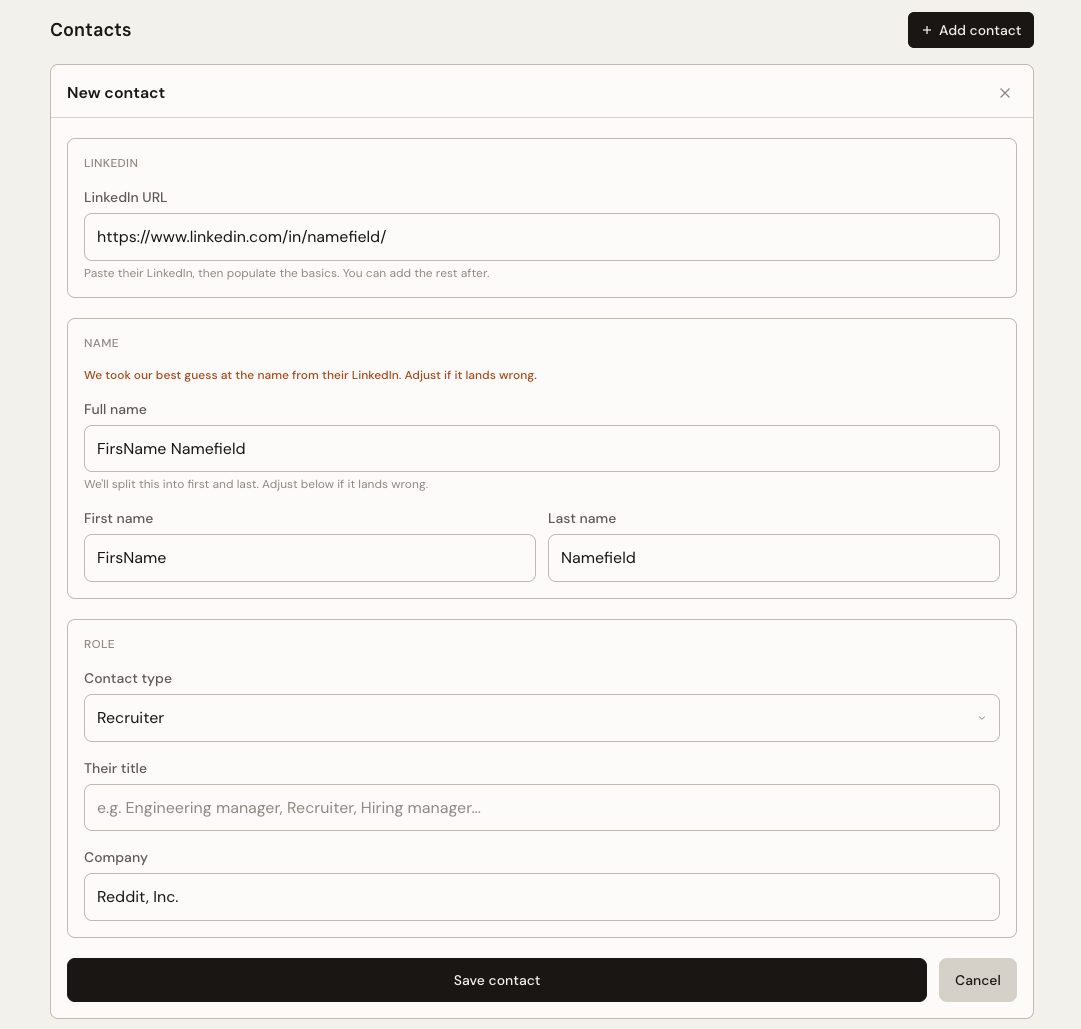
What gets captured
The name, the current role and company, and the link back to the profile. From there you can add how you know them, what you talked about, and what to follow up on.
Everything stays editable. If a title is stale or you want to note that they're the hiring manager, change it.
When it helps
This pays off most on technical roles, where the team's LinkedIn footprint is real and worth reading before a call. Knowing who you're talking to, what they built, and how long they've been there changes the questions you ask.
It also helps the moment a recruiter or a referral connects you with someone. Capture them while the thread is warm, link them to the role, and you'll know exactly where you left off next time they message.
Quick reference
- Where
- A job's contacts, add a contact, paste the profile
- What it pulls
- Name, current title, company, profile link
- Best for
- Technical roles and warm recruiter or referral threads
- Tied to the role
- The contact lives with the job, not in your inbox